3D printer bed sizes (2026): what fits on every printer, and how many pieces a big part needs
A spec sheet gives one number per printer. What you need to know is whether your part fits, how long it can be if you lay it at an angle, and how many pieces it takes when it doesn’t fit at all. This table answers all three for every printer in our engine.
Short answer
The Bambu Lab A1 mini prints 180 × 180 × 180 mm. The A1 and P2S print 256 × 256 × 256 mm; the P1S and X1 Carbon have the same bed, but Bambu Studio stops them at 250 mm tall by default. Laid diagonally, a 20 mm wide part fits up to 234 mm long on the 180 mm bed and 342 mm on the 256 mm bed. A 600 mm part needs 4 pieces on the smaller bed and 3 on the larger.
The numbers were computed on 8 November 2026 from the build volumes the Loftsmith engine uses to check every part it designs. Nothing here was printed or measured on a real bed; where a maker’s page or slicer says something different, the method section lists it.
The table: every printer in our engine, and what fits on it
| Printer | Build volume (X × Y × Z) | Longest flat part, 20 mm wide | 40 mm wide | Largest disc | Gridfinity baseplate | Pieces for 400 / 600 / 1000 mm |
|---|---|---|---|---|---|---|
| Bambu Lab A1 mini | 180 × 180 × 180 mm | 234 mm | 214 mm | 180 mm | 4 × 4 (168 × 168 mm) | 3 / 4 / 7 |
| Creality Ender-3 V3 | 220 × 220 × 250 mm | 291 mm | 271 mm | 220 mm | 5 × 5 (210 × 210 mm) | 2 / 3 / 5 |
| Creality K1 / K1C | 220 × 220 × 250 mm | 291 mm | 271 mm | 220 mm | 5 × 5 (210 × 210 mm) | 2 / 3 / 5 |
| Prusa MK4S | 250 × 210 × 220 mm | 306 mm | 287 mm | 210 mm | 5 × 4 (210 × 168 mm) | 2 / 3 / 5 |
| Prusa CORE One | 250 × 220 × 270 mm | 313 mm | 293 mm | 220 mm | 5 × 5 (210 × 210 mm) | 2 / 3 / 5 |
| Bambu Lab X2D | 235.5 × 256 × 256 mm † | 327 mm | 308 mm | 235.5 mm | 5 × 6 (210 × 252 mm) | 2 / 3 / 5 |
| Bambu Lab A1 | 256 × 256 × 256 mm | 342 mm | 322 mm | 256 mm | 6 × 6 (252 × 252 mm) | 2 / 3 / 5 |
| Bambu Lab P1P | 256 × 256 × 256 mm * | 342 mm | 322 mm | 256 mm | 5 × 6 (210 × 252 mm) | 2 / 3 / 5 |
| Bambu Lab P1S | 256 × 256 × 256 mm * | 342 mm | 322 mm | 256 mm | 5 × 6 (210 × 252 mm) | 2 / 3 / 5 |
| Bambu Lab P2S | 256 × 256 × 256 mm | 342 mm | 322 mm | 256 mm | 6 × 6 (252 × 252 mm) | 2 / 3 / 5 |
| Bambu Lab X1 | 256 × 256 × 256 mm * | 342 mm | 322 mm | 256 mm | 5 × 6 (210 × 252 mm) | 2 / 3 / 5 |
| Bambu Lab X1 Carbon | 256 × 256 × 256 mm * | 342 mm | 322 mm | 256 mm | 5 × 6 (210 × 252 mm) | 2 / 3 / 5 |
| Bambu Lab X1E | 256 × 256 × 256 mm | 342 mm | 322 mm | 256 mm | 5 × 6 (210 × 252 mm) | 2 / 3 / 5 |
| Bambu Lab H2C | 300 × 320 × 325 mm † | 418 mm | 398 mm | 300 mm | 7 × 7 (294 × 294 mm) | 2 / 2 / 4 |
| Bambu Lab H2D | 300 × 320 × 325 mm † | 418 mm | 398 mm | 300 mm | 7 × 7 (294 × 294 mm) | 2 / 2 / 4 |
| Bambu Lab H2D Pro | 300 × 320 × 325 mm † | 418 mm | 398 mm | 300 mm | 7 × 7 (294 × 294 mm) | 2 / 2 / 4 |
| Bambu Lab A2L | 330 × 320 × 325 mm | 439 mm | 419 mm | 320 mm | 7 × 7 (294 × 294 mm) | 2 / 2 / 4 |
| Bambu Lab H2S | 340 × 320 × 340 mm | 446 mm | 427 mm | 320 mm | 8 × 7 (336 × 294 mm) | 2 / 2 / 4 |
| Voron 2.4 (350) | 350 × 350 × 340 mm | 474 mm | 454 mm | 350 mm | 8 × 8 (336 × 336 mm) | 2 / 2 / 4 |
* Bambu lists 256 mm; Bambu Studio allows 250 mm by default on the P1P, P1S, X1 and X1 Carbon. † Two-nozzle printers (X2D, H2C, H2D and H2D Pro): the strip both nozzles reach, narrower than the plate. On the H2C and H2D the height is 320 mm when a print uses both nozzles (Bambu Studio profile).
Longest flat part: a bar of that width at its best angle, edge to edge, with no brim, clear of excluded corners. Disc: the largest round part that lies flat. Gridfinity: whole 42 mm cells with 2 mm free on each side, enough for a plate printed without a brim, clear of excluded corners; the Gridfinity section gives the plate with a 10 mm brim margin. Pieces: a part 40 × 20 mm in section, cut straight across the way Loftsmith’s print splitter plans it: each piece is kept 4 mm shorter than the bed and leaves 21 mm for its connector.
Cite this table as: Loftsmith, “3D printer bed sizes”, loftsmith.com/guides/3d-printer-bed-sizes, computed 8 November 2026.
Not in the table yet: Bambu Lab H3C (launched 3 November 2026), Creality Ender-3 V3 Neo (announced 16 October 2026) and Creality K3 (pre-orders from 12 October 2026). The engine has no profile for them yet, so the table gives them no numbers rather than copied ones. They will get rows when the engine does.
Listed bed size vs the area you can print on
Three different numbers get called “bed size”, and they can differ by more than a centimetre:
- The plate: the sheet of metal or glass you can hold.
- The maker’s print volume: where the nozzle can put plastic.
- The slicer’s limit: what the slicer will actually let you place and print.
Plate vs print area: the Ender-3
The original Ender-3’s plate is 235 × 235 mm, but Creality gives its print area as 220 × 220 mm and 250 mm tall; it says the difference goes to the bed clips and a safety margin (Creality). The stock Marlin configuration for that printer still calls the bed 235 mm and sets 250 mm of Z travel (Marlin).
The engine’s row is the Creality Ender-3 V3, whose listed print volume is 220 × 220 × 250 mm (Creality), the same as the original’s print area; the engine stores 220 × 220 × 250 mm. So the row applies to an original Ender-3 too, as long as you read it as print area, not plate. Every figure in the table is a print area in that sense.
Spec vs slicer: Bambu’s 250 mm ceiling and the cut-out corner
Bambu lists the P1 and X1 machines at 256 mm tall, but their Bambu Studio profiles inherit a 250 mm print height from a shared default file, while the A1 and P2S profiles set 256 mm (the shared profile). Bambu staff closed a GitHub report about it as not a bug (issue #2817). The P1S and X1 Carbon profiles also exclude an 18 × 28 mm corner at the front. The engine keeps that corner clear; the table’s heights stay at Bambu’s 256 mm and carry a star.
The corner matters more than it sounds. A 6 × 6 Gridfinity plate, 252 mm square, leaves only 4 mm spare on a 256 mm bed, so it can’t avoid the cut-out: the engine’s largest plate for the P1S is 5 × 6 (210 × 252 mm), against 6 × 6 (252 × 252 mm) on the A1.
Two nozzles, several volumes: H2D and H2C vs H3C
On Bambu’s two-nozzle printers the volume depends on which nozzles a print uses. In the H2C’s Bambu Studio profile the plate is 330 × 320 mm, the left nozzle reaches 325 mm of X, the right nozzle 305 mm, and both together 300 mm; the height is 320 or 325 mm depending on the nozzle (H2C profile, shared H2 profile). The H2D works the same way at 350 mm, which is why some pages list it at 350 mm and others at 325 mm. The engine uses the strip both nozzles reach, 300 × 320 × 325 mm for the H2C. That height is the profile’s overall figure: one of the two nozzles is limited to 320 mm, so a print that uses both gets 320 mm, as the table’s note says.
The H3C, launched on 3 November 2026, is listed at 330 × 320 × 325 mm (Bambu Lab), and its Bambu Studio profile defines no per-nozzle areas. Bambu’s launch post doesn’t say whether every tool reaches the whole volume, so check the plate in Bambu Studio before you plan a part to the edge.
Brims, skirts and purge lines
Additive-X suggests leaving 10–20 mm of clearance on each axis (Additive-X), and SpeakCAD adds 10 mm each way for a brim or skirt (SpeakCAD). Here is what a 10 mm margin on every side costs on the 180 mm and 256 mm beds:
| Bed | Margin per side | Thin line | 20 mm wide | 40 mm wide | Largest disc |
|---|---|---|---|---|---|
| Bambu Lab A1 mini (180 mm) | 0 mm | 254 mm | 234 mm | 214 mm | 180 mm |
| Bambu Lab A1 mini (180 mm) | 10 mm | 226 mm | 206 mm | 186 mm | 160 mm |
| Bambu Lab A1 (256 mm) | 0 mm | 362 mm | 342 mm | 322 mm | 256 mm |
| Bambu Lab A1 (256 mm) | 10 mm | 333 mm | 313 mm | 293 mm | 236 mm |
How long a part fits on the diagonal (the width matters)
The usual advice is that the diagonal of a square bed is its side × 1.41: “around 362mm” on a 256 mm bed, says Additive-X, and SpeakCAD and STL Splitter’s printer pages quote the same kind of figure. That is the length of a line with no width. A real part has width, and its corners hit the bed’s edges before its centre line reaches the corners.
longest part = s × √2 − w
| Bed | Side × 1.41 (a line) | 20 mm wide | 40 mm wide |
|---|---|---|---|
| 180 × 180 mm | 254 mm | 234 mm | 214 mm |
| 256 × 256 mm | 362 mm | 342 mm | 322 mm |
On a rectangular bed there is no neat formula: the best angle is no longer 45°, and for wide parts lying straight along the long side can win. The table’s figures for rectangular beds come from trying every angle in steps of 0.05° and refining the best one, and for the P1 and X1 machines the bar is placed along the diagonal that misses the cut-out corner.
Two cautions before you lay a part corner to corner. SpeakCAD points out that the corners are where beds tend to be least level, and nothing else fits on the plate beside a diagonal part. Use the diagonal for one long part, not as a plan for a full plate.
Standing it up
Height is the other long axis, but on every printer in the table even a 40 mm wide part lies longer on the diagonal than the printer is tall. Stand a part up when its shape asks for it, not to gain length. Turning a part also changes which faces hang over air; the guide to overhangs and print orientation covers that side of the choice.
Biggest Gridfinity baseplate and bin on each bed
Gridfinity baseplates come in whole 42 mm cells, so a bed’s size rounds down hard. The table’s Gridfinity column keeps 2 mm free on each side of the plate and stays clear of excluded corners. That is clearance from the bed’s edge, not room for a brim: it suits a flat baseplate printed without one. If you print plates with a brim or skirt, use the right-hand column, which keeps 10 mm free on each side, the margin SpeakCAD gives for a brim or skirt.
| Bed | Printers | 2 mm a side (no brim) | 10 mm a side (brim or skirt) |
|---|---|---|---|
| 180 × 180 mm | A1 mini | 4 × 4 (168 × 168 mm) | 3 × 3 (126 × 126 mm) |
| 220 × 220 mm | Creality Ender-3 V3 and Creality K1 / K1C | 5 × 5 (210 × 210 mm) | 4 × 4 (168 × 168 mm) |
| 250 × 210 mm | Prusa MK4S | 5 × 4 (210 × 168 mm) | 5 × 4 (210 × 168 mm) |
| 250 × 220 mm | Prusa CORE One | 5 × 5 (210 × 210 mm) | 5 × 4 (210 × 168 mm) |
| 235.5 × 256 mm | X2D | 5 × 6 (210 × 252 mm) | 5 × 5 (210 × 210 mm) |
| 256 × 256 mm | A1 and P2S | 6 × 6 (252 × 252 mm) | 5 × 5 (210 × 210 mm) |
| 256 × 256 mm, corner excluded | P1P, P1S, X1, X1 Carbon and X1E | 5 × 6 (210 × 252 mm) | 5 × 5 (210 × 210 mm) |
| 300 × 320 mm | H2C, H2D and H2D Pro | 7 × 7 (294 × 294 mm) | 6 × 7 (252 × 294 mm) |
| 330 × 320 mm | A2L | 7 × 7 (294 × 294 mm) | 7 × 7 (294 × 294 mm) |
| 340 × 320 mm | H2S | 8 × 7 (336 × 294 mm) | 7 × 7 (294 × 294 mm) |
| 350 × 350 mm | Voron 2.4 (350) | 8 × 8 (336 × 336 mm) | 7 × 7 (294 × 294 mm) |
- A 5 × 5 plate is 210 mm square, so it doesn’t fit a 180 mm bed in one piece. SpeakCAD reaches the same verdict: split it, or print 4 × 4. The engine’s largest plate for the A1 mini is 4 × 4 (168 × 168 mm).
- 17 of the 19 printers in the table take a plate of 5 × 5 or more in one print.
- Height is rarely the limit for a bin. Gridfinity heights come in 7 mm units, and even the A1 mini’s 180 mm takes 25 of them (175 mm) before the stacking lip. Measure the drawer first; it runs out long before the printer does.
Plates for a big drawer are printed in several pieces that sit side by side; the bins hold them in line. The Gridfinity dimensions guide has the rest of the numbers and how to fit a grid to a drawer.
How many pieces a big part needs, and what the joint costs
When a part is longer than the bed, the question becomes how many pieces. The table counts them the way Loftsmith’s free print splitter plans its cuts: straight cuts, the part turned whichever way needs fewest pieces, and each piece kept short enough for its joint.
pieces along an axis = length ÷ (bed − 4 mm − 21 mm), rounded up
So a 600 mm rail needs 4 pieces on the A1 mini, 3 on the A1 and 2 on H2C, H2D, H2D Pro, A2L, H2S and Voron 2.4 (350). These are straight-cut counts; laying the pieces on the diagonal can sometimes save one, at the cost of the cautions above.
Where to put the cuts, how to hide the seams and how to pin the pieces in line is a separate job, covered in the guide on how to split a model that’s too big for your printer.
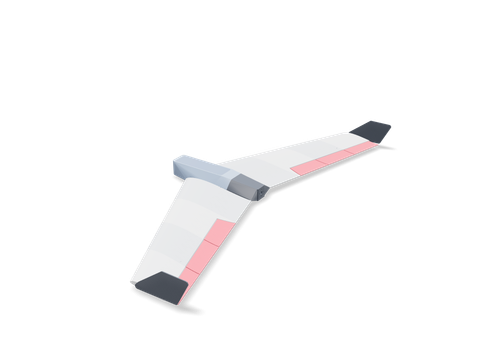 RC flying wingA wing far bigger than any bed, split into bed-sized panels with filament-pin joints.436 × 994 × 86 mm · 427 g · 21 h 50 min
Which bed size do you need?
Start from what you print, not from the spec sheet. This guide doesn’t rank printers; it tells you which bed holds a given part in one piece.
- Small functional parts. Loftsmith’s storage box at its defaults is 120 × 88 × 52 mm and fits 19 of the 19 printers in one piece. For a part like this, any bed works; check its box against the volume column.
- Gridfinity. A 180 mm bed prints 4 × 4 (168 × 168 mm) plates; the 256 mm class prints up to 6 × 6 (252 × 252 mm). Both fill a drawer, the smaller one with more plates.
- Shelves and wall parts. The keyhole shelf at its defaults is 90 × 180 × 83 mm and fits 19 of the 19 printers in one piece. Longer shelves and rails get split; the piece column shows how many pieces each bed needs.
- Long parts in general. Measure the part’s box (length, width, height), find the width in the table, and compare the length with the longest flat part. If it is longer, the piece column is your answer.
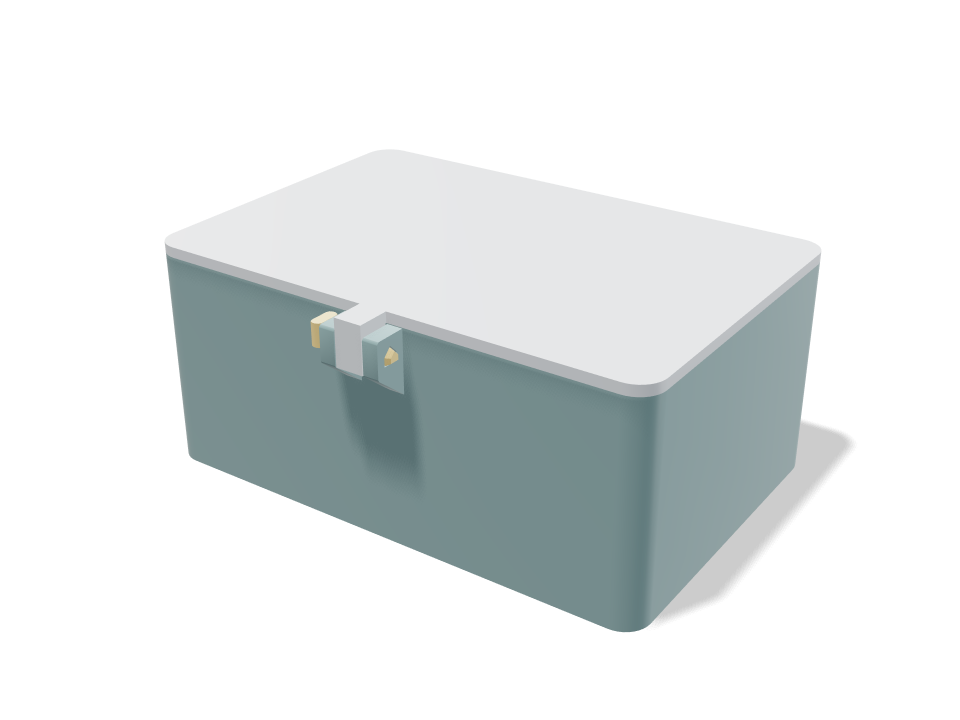
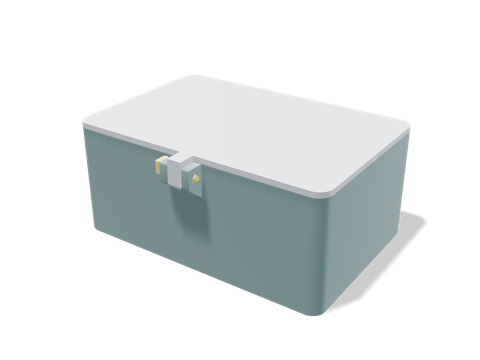 Compact locking-pin boxA box with a seated lid and dividers. Set its size, and the engine checks it against your printer’s build volume.120 × 88 × 52 mm · 91 g · 2 h 17 min
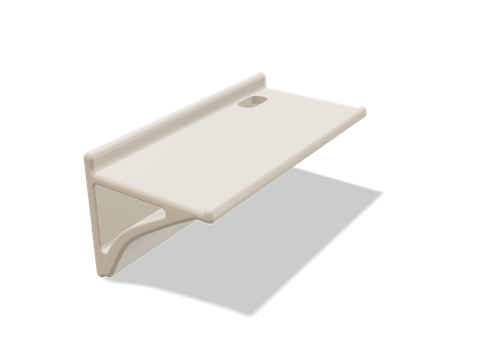 One-piece keyhole shelfA one-piece wall shelf on hidden keyholes. Set its width, and the engine checks it against your printer.90 × 180 × 83 mm · 134 g · 3 h 16 min
On a new printer, print a tolerance ladder first. The ladder and its pegs take about 21 minutes and 4.8 g of filament by the engine’s estimate, and they tell you the gaps your printer makes, which every multi-piece part depends on.
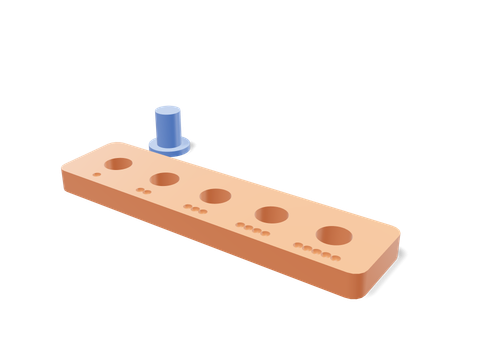 Tolerance testerA ladder of holes and pegs that shows which gaps your printer makes.71 × 35 × 10 mm · 5 g · 21 min
Sources and method
Written by the Loftsmith team. Every number in the tables was computed on 8 November 2026 from the build volumes in the Loftsmith engine’s printer profiles (printer data 68764e68; the code changes that tag whenever any bed changes). The piece counts use the print splitter’s own rule from the engine, and the Gridfinity plates use the plate planner’s placement around excluded corners. The engine’s Bambu profiles point at Bambu Studio commit f977235.
Each build volume was then checked against the maker’s page or, for Bambu, the printer’s profile in Bambu Studio on GitHub, which defines what the slicer lets you print (Bambu’s own website refused our requests). Rows we didn’t check are marked. Pages disagree more than you might expect: one large-format buying list gives the P2S as 400 × 400 × 400 mm in its table and 256 × 256 × 256 mm in its own text (Sovol); Bambu’s profile says 256 mm. STL Splitter’s chart of 70+ build volumes covers more printers than this guide, and links a splitting tool that does the fitting; it doesn’t list part width, Gridfinity or piece counts.
| Printer | Engine | Maker or slicer profile | Same? | Source and note |
|---|---|---|---|---|
| Bambu Lab A1 mini | 180 × 180 × 180 mm | 180 × 180 × 180 mm | Same | Bambu Studio profile: A1 mini |
| Creality Ender-3 V3 | 220 × 220 × 250 mm | 220 × 220 × 250 mm | Same | Creality: Ender 3 bed size Listed print volume, the same as the original Ender-3’s print area. |
| Creality K1 / K1C | 220 × 220 × 250 mm | 220 × 220 × 250 mm | Same | Creality: K1 vs K1 Max vs K1C Read from a search-engine summary of Creality’s page. |
| Prusa MK4S | 250 × 210 × 220 mm | 250 × 210 × 220 mm | Same | Prusa: CORE One+ page, comparison table |
| Prusa CORE One | 250 × 220 × 270 mm | 250 × 220 × 270 mm | Same | Prusa: CORE One+ page, comparison table Prusa’s page lists the CORE One+. |
| Bambu Lab X2D | 235.5 × 256 × 256 mm | Not checked | Not checked | — |
| Bambu Lab A1 | 256 × 256 × 256 mm | 256 × 256 × 256 mm | Same | Bambu Studio profile: A1 |
| Bambu Lab P1P | 256 × 256 × 256 mm | 256 × 256 × 256 mm | Same | Bambu Studio fdm_machine_common.json Bambu Studio’s default height is 250 mm, not 256, for P1 and X1 machines. The engine keeps the same 18 × 28 mm corner clear; we read that exclusion in the P1S and X1C profiles. |
| Bambu Lab P1S | 256 × 256 × 256 mm | 256 × 256 × 256 mm | Same | Bambu Studio profile: P1S Bambu Studio’s default height is 250 mm, not 256, for P1 and X1 machines. The profile excludes an 18 × 28 mm front corner. |
| Bambu Lab P2S | 256 × 256 × 256 mm | 256 × 256 × 256 mm | Same | Bambu Studio profile: P2S |
| Bambu Lab X1 | 256 × 256 × 256 mm | 256 × 256 × 256 mm | Same | Bambu Studio fdm_machine_common.json Bambu Studio’s default height is 250 mm, not 256, for P1 and X1 machines. The engine keeps the same 18 × 28 mm corner clear; we read that exclusion in the P1S and X1C profiles. |
| Bambu Lab X1 Carbon | 256 × 256 × 256 mm | 256 × 256 × 256 mm | Same | Bambu Studio profile: X1 Carbon Bambu Studio’s default height is 250 mm, not 256, for P1 and X1 machines. The profile excludes an 18 × 28 mm front corner. |
| Bambu Lab X1E | 256 × 256 × 256 mm | Not checked | Not checked | — |
| Bambu Lab H2C | 300 × 320 × 325 mm | 330 × 320 × 325 mm | Differs | Bambu Studio profile: H2C Left nozzle 325 mm in X, right nozzle 305 mm, both 300 mm; height 320 mm when a print uses both nozzles. The engine uses the 300 mm strip both reach. |
| Bambu Lab H2D | 300 × 320 × 325 mm | 350 × 320 × 325 mm | Differs | Bambu Studio profile: H2D 350 mm is what the two nozzles reach between them; one nozzle reaches 325 mm, and both reach the same 300 mm strip. The engine uses the 300 mm strip. Height 320 mm when a print uses both nozzles. |
| Bambu Lab H2D Pro | 300 × 320 × 325 mm | Not checked | Not checked | — |
| Bambu Lab A2L | 330 × 320 × 325 mm | Not checked | Not checked | — |
| Bambu Lab H2S | 340 × 320 × 340 mm | 340 × 320 × 340 mm | Same | Bambu Studio profile: H2S |
| Voron 2.4 (350) | 350 × 350 × 340 mm | Not checked | Not checked | — |
Not done: no test prints and no measured print areas; nothing in this guide was printed. Printers the engine doesn’t hold are left out. The longest-flat-part figures are edge to edge and assume a flat, level plate. A joint test card was considered for the pieces section but its build report wasn’t available, so the guide gives no joint gaps.
Changes: the tables are recomputed from the engine on every build, and the build is pinned to printer data 68764e68. If the engine’s printer data changes, the site won’t build until this page has been re-read, re-dated and the change logged, so new numbers never appear under an old date.
Questions people ask
What is the bed size of the Bambu Lab A1 mini?
180 × 180 × 180 mm. Laid on the diagonal, a part 20 mm wide fits up to 234 mm long, the largest Gridfinity baseplate is 4 × 4 cells printed without a brim (3 × 3 with a 10 mm brim margin), and a 600 mm part needs 4 pieces, by the Loftsmith engine’s geometry.
Is the Ender-3 bed 220 mm or 235 mm?
Both, for different things. Creality gives the plate as 235 × 235 mm and the print area as 220 × 220 mm and 250 mm tall; the rest goes to the bed clips and a safety margin. Use 220 mm when you check whether a part fits. The Loftsmith engine stores the print area for the Ender-3 V3, 220 × 220 × 250 mm.
Why does Bambu Studio stop at 250 mm tall on a P1S or X1 Carbon?
Their Bambu Studio profiles inherit a 250 mm print height from a shared default file, while the A1 and P2S profiles set 256 mm. Bambu lists 256 mm, and its staff closed a GitHub report about the difference as not a bug. The P1S and X1 Carbon profiles also exclude an 18 × 28 mm front corner.
How long a part fits diagonally on a 256 mm bed?
A line with no width would be 362 mm. A real part loses its own width: 342 mm long at 20 mm wide and 322 mm at 40 mm wide, edge to edge with no brim. With 10 mm kept free on each side, a 20 mm wide part can be 313 mm long.
How many pieces does a 1 metre part need?
For a part 40 × 20 mm in section, cut straight across with room for the connectors: 7 on a 180 mm bed, 5 on a 256 mm bed, and 4 on the H2D, H2D Pro, H2C, H2S, A2L and Voron 2.4 (350), the fewest of any printer in the Loftsmith engine.
Sources and method
The numbers come from Loftsmith’s CAD engine, which uses them to design and check every part it builds, and from the manufacturer and reference sources below. Every figure is checked against those sources and the engine’s own geometry. Found a mistake? Email [email protected] and we’ll fix it.
- Bambu Studio printer profiles on GitHub (print areas, heights, excluded zones)
- Bambu Studio fdm_machine_common.json (the 250 mm default height)
- BambuStudio issue #2817: X1C printing size
- Bambu Lab blog: the H3C launch (3 November 2026)
- Prusa: CORE One+ page with MK4S and CORE One L volumes
- Creality: Ender 3 bed size, plate vs print area
- Marlin: Creality Ender-3 Configuration.h
- Additive-X: 3D printer build volume explained
- SpeakCAD: what print bed size do you need?
- STL Splitter: 3D printer bed sizes chart